User Provisioning
Automate a user's access from first SSO login through offboarding.
01The problem
Access granted by hand is granted inconsistently. And when someone leaves, deactivating their user leaves their profile and permissions untouched: one accidental reactivation and the old access is back. That is a recurring audit finding wherever this isn't automated.
Who has it: Identity admins who set it up once, security and compliance reviewers who need the audit trail, and integration teams who send joiner and leaver signals.
02How it works
User Provisioning handles the whole lifecycle. On a person’s first single sign-on login it creates or updates their user and grants access based on a role mapping the organisation maintains. When they leave, it records exactly what they had, removes it and drops their profile to a safe minimum.
On a schedule, it also looks for inactive users who still hold elevated access, so anything that slipped through gets flagged. Joiner and leaver signals can come from an HR system or identity provider, and every step leaves an audit trail.
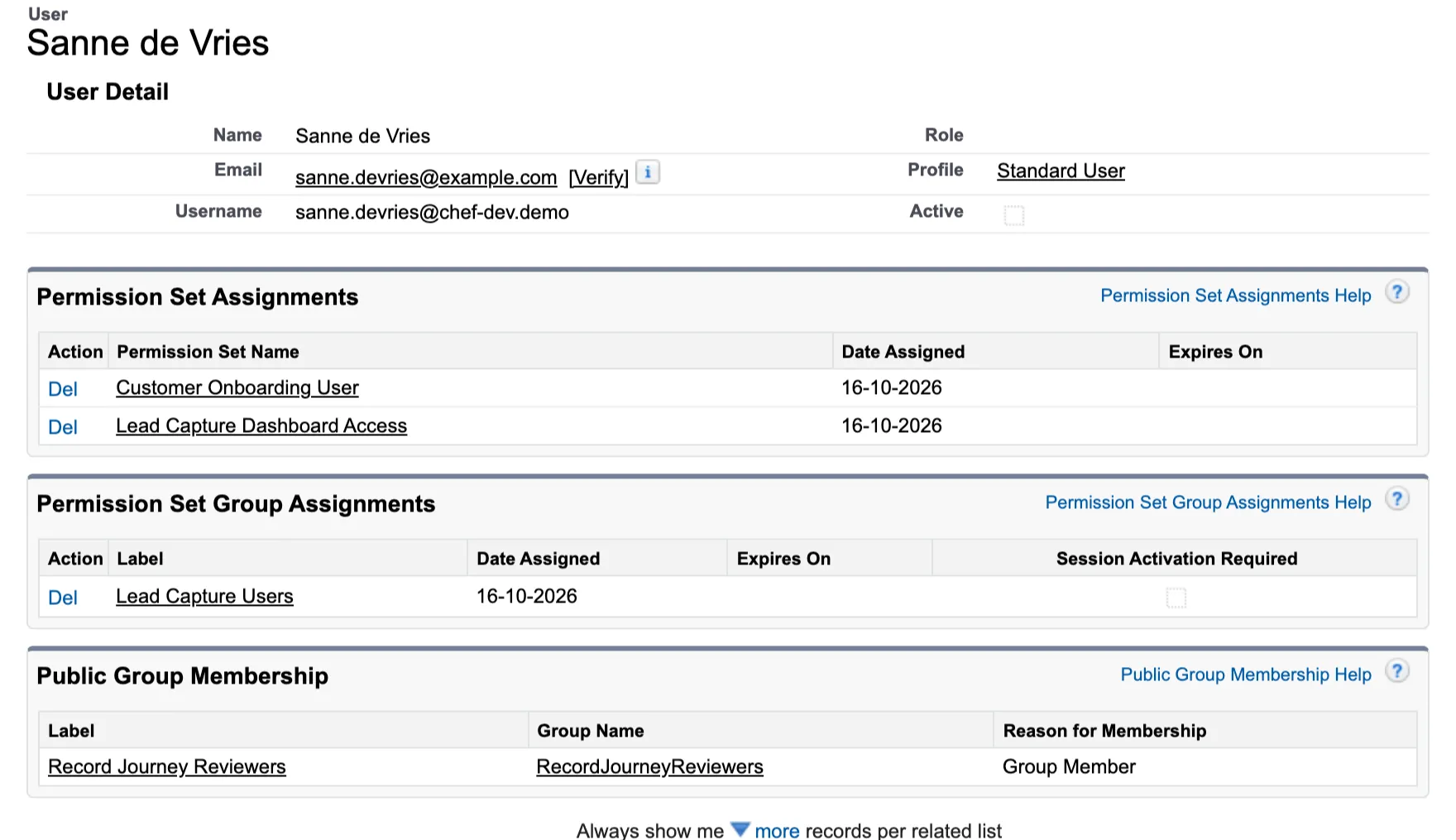
Before: deactivated by hand. The user can’t log in, but every grant is still there.
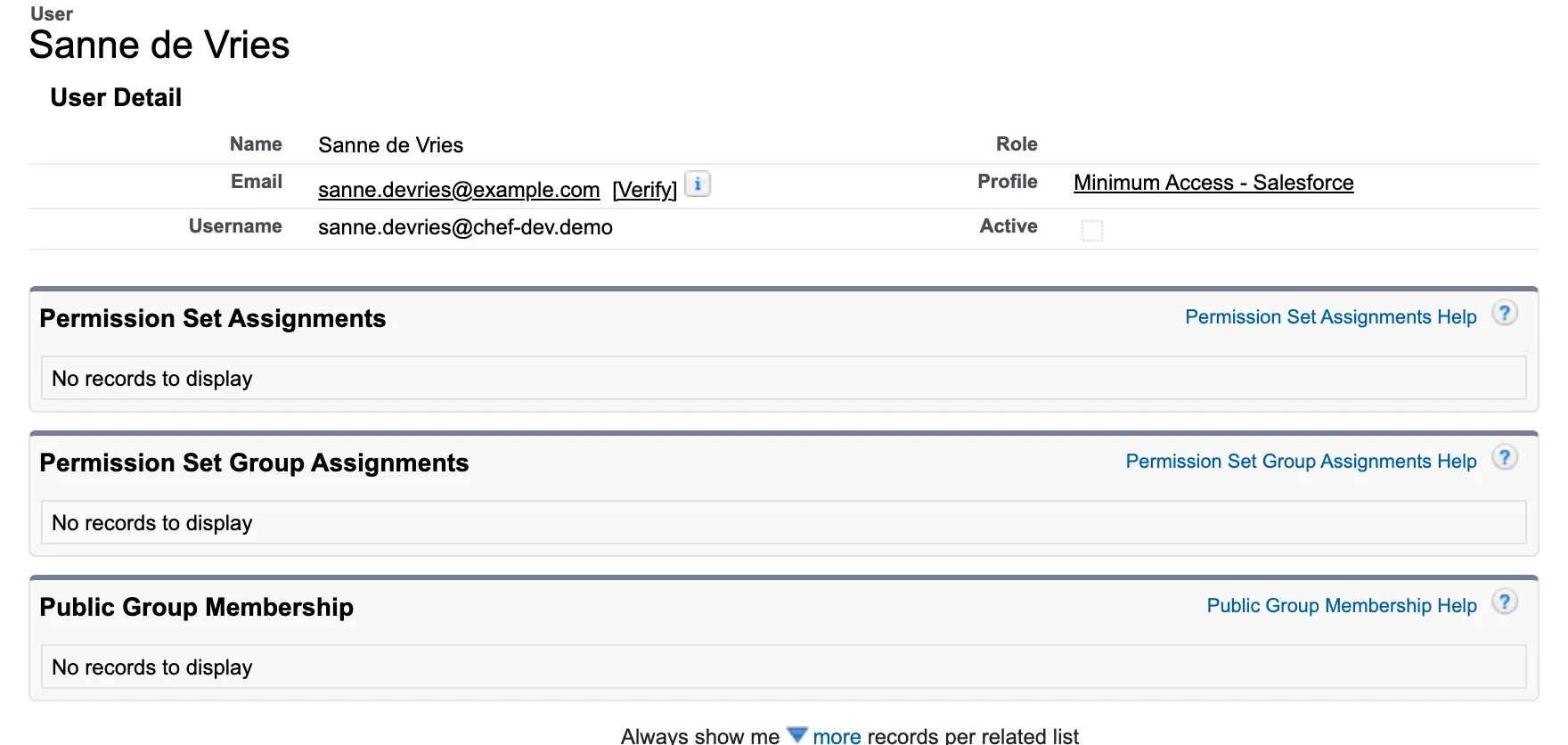
After: User Provisioning removed every grant and dropped the profile to the minimum.
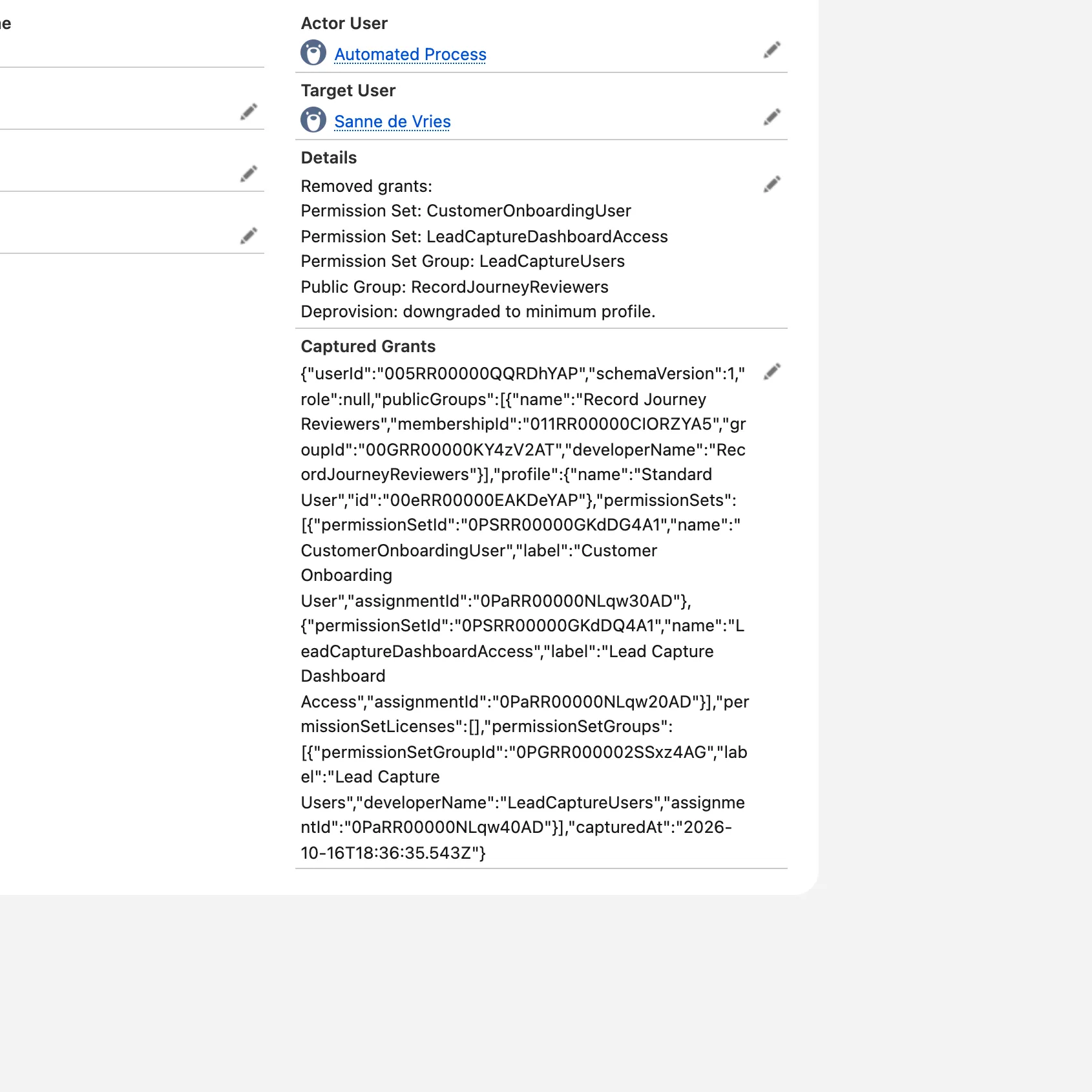
The audit log records what was removed, and keeps a full snapshot of what the user had before.
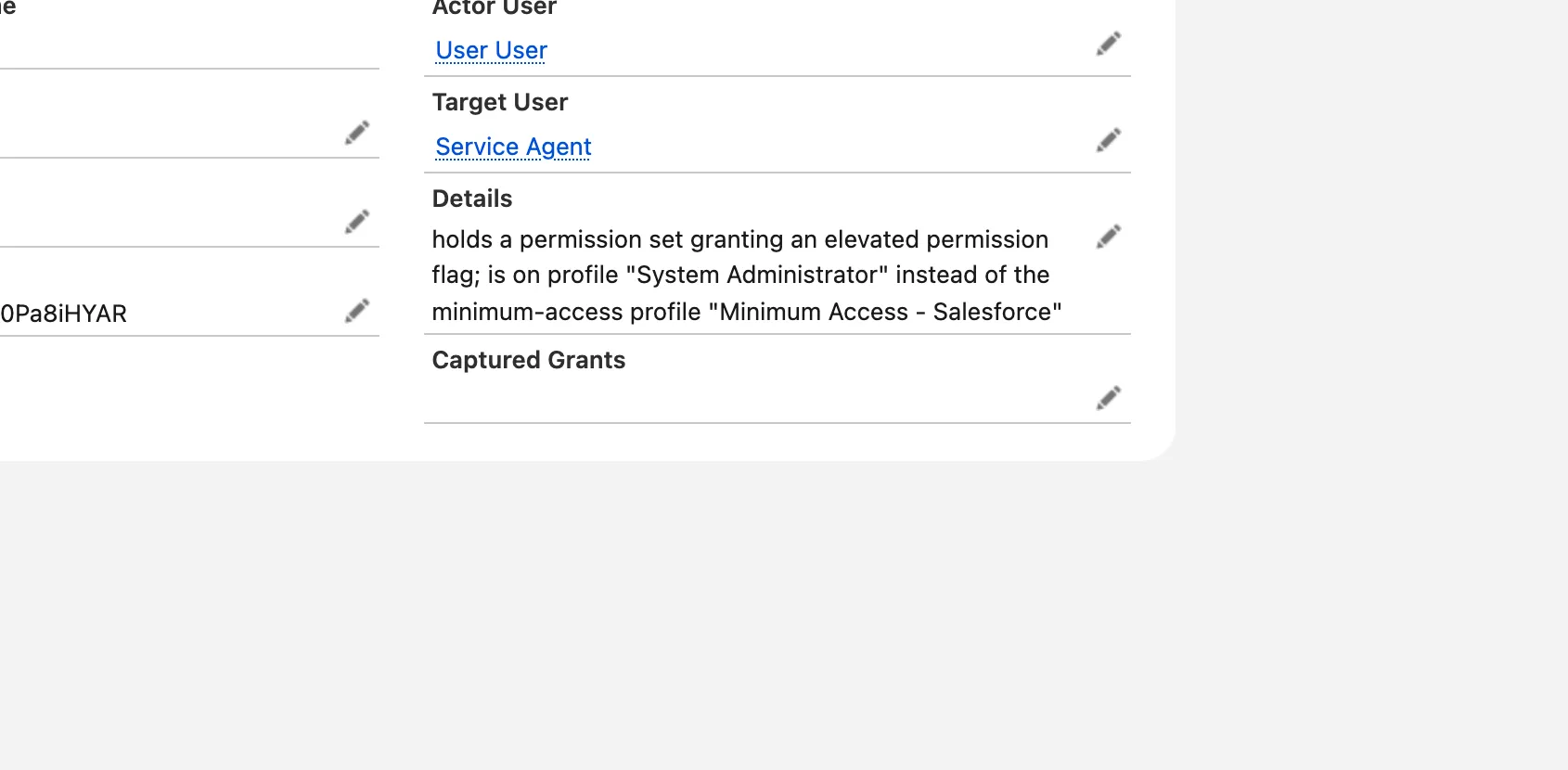
The scheduled monitor flags inactive users who still hold elevated access.
Built on the suite's shared foundation: logging, configuration, shared components and a standard Home, Setup and health page per app. Apex Chef for Salesforce
03How to get it
- Ask for a demo30 minutes, about which processes it should cover.
- Try it in a sandboxInstalled in your sandbox with your own test data.
- Licence and go liveA written offer, then installed in production.